

This marks the start of a new series: over the coming weeks, I’ll be highlighting individual features of the new SAATKORN and briefly explaining my thinking behind them. Today, I’ll be looking at how to find HR and WorkTech providers on the platform.
How the SAATKORN search works
Let’s say you’re an HR decision-maker and want to get an overview of the market for ‘employee benefits’. To do this, you first go to the WorkTech section on SAATKORN. There you’ll find the following view:
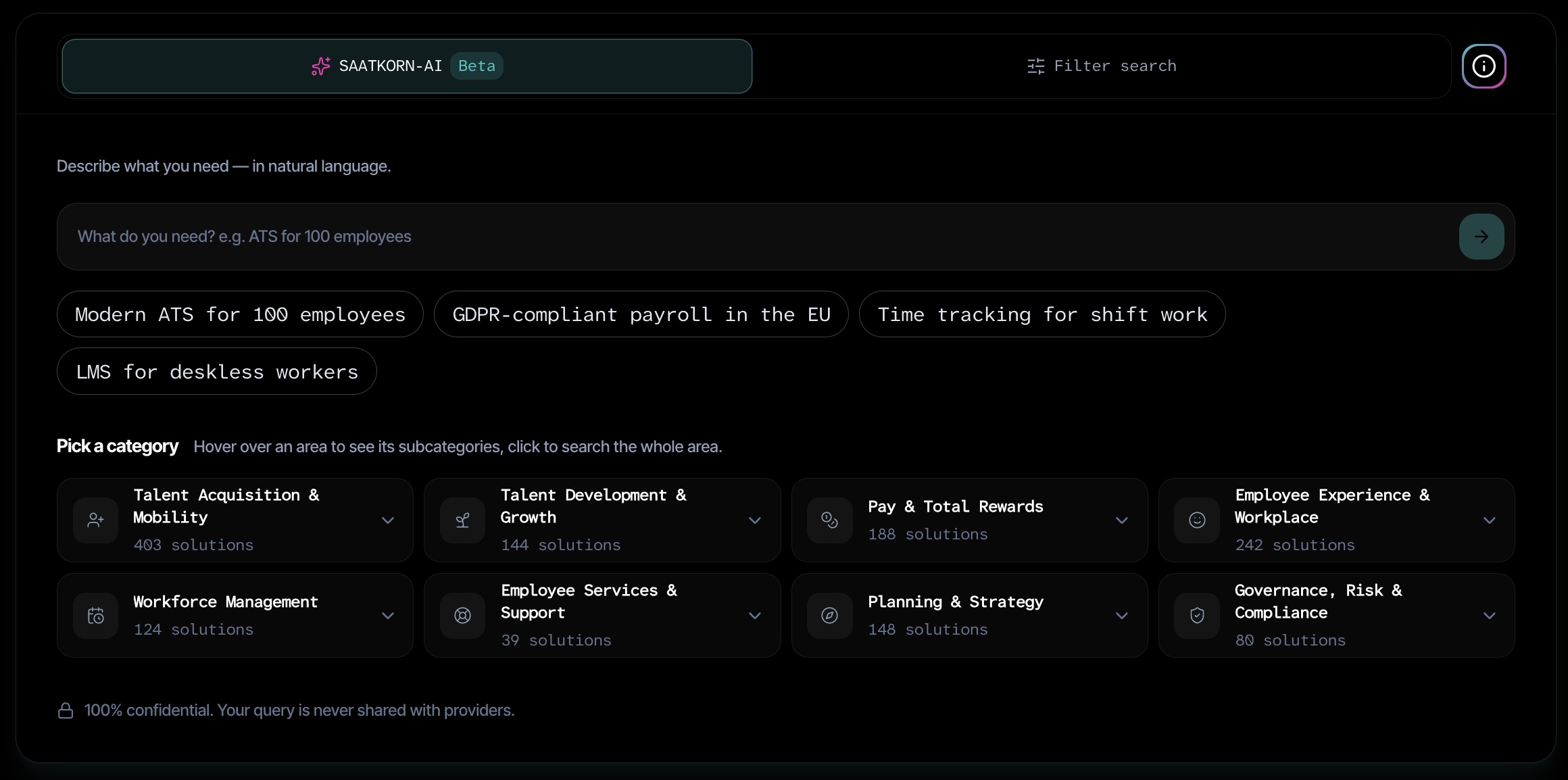
You now have the following search options:
- SAATKORN AI: Here, you briefly describe your query, e.g. “Benefits”. The relevant search results will then be displayed below, namely all provider products assigned to the “Benefits” category.
- Filter search: Expand the filter search to the right of the SAATKORN-AI and apply your filters. Here, too, the relevant search results will be displayed.
- Select categories: You can also go directly to the categories. There are 8 main categories here, each with a corresponding number of possible products; when you hover your mouse over them, you’ll see the relevant sub-categories straight away. “Benefits” is located in the main category “Pay & Total Rewards”. You can select the “Benefits” category by hovering over it, which will also take you to the relevant search results.
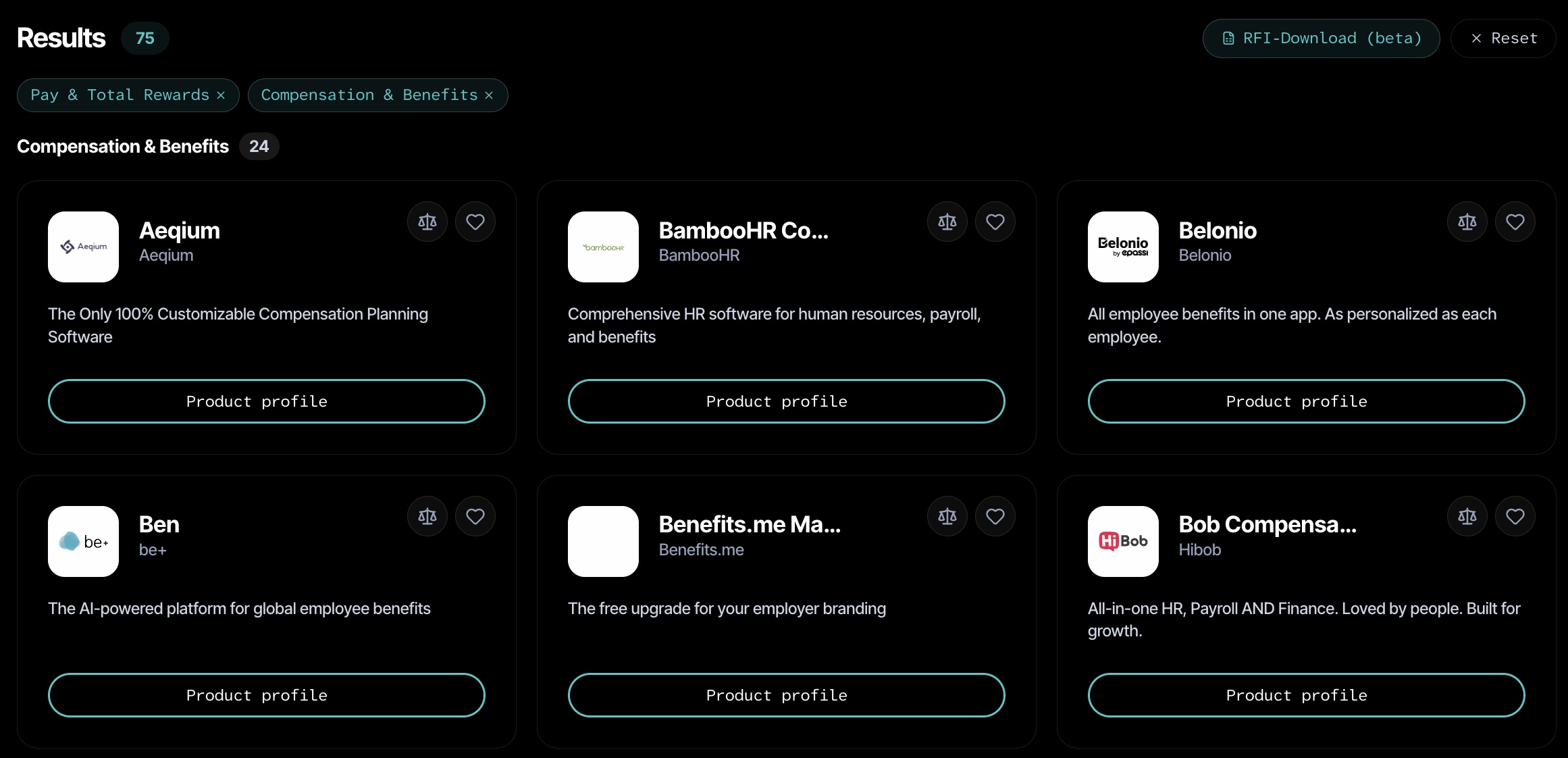
The search results for “Benefits” will then look as follows. There are currently 75 products. You can now save these to a wishlist, compare up to 3 products with one another, or upload your RFI to automatically identify the best-matching products:
Note for HR tech providers
If you are an HR tech provider, you can claim your product free of charge. Simply enter your product into the search bar at the top. On the product page, you will now see a message stating that you can claim this product for yourself free of charge.
I will then set up an account for you in the backend so that you can showcase your product to its best advantage. The basic version is free; depending on the level of detail, there are also paid packages available. Find out more here.